

Pricing page
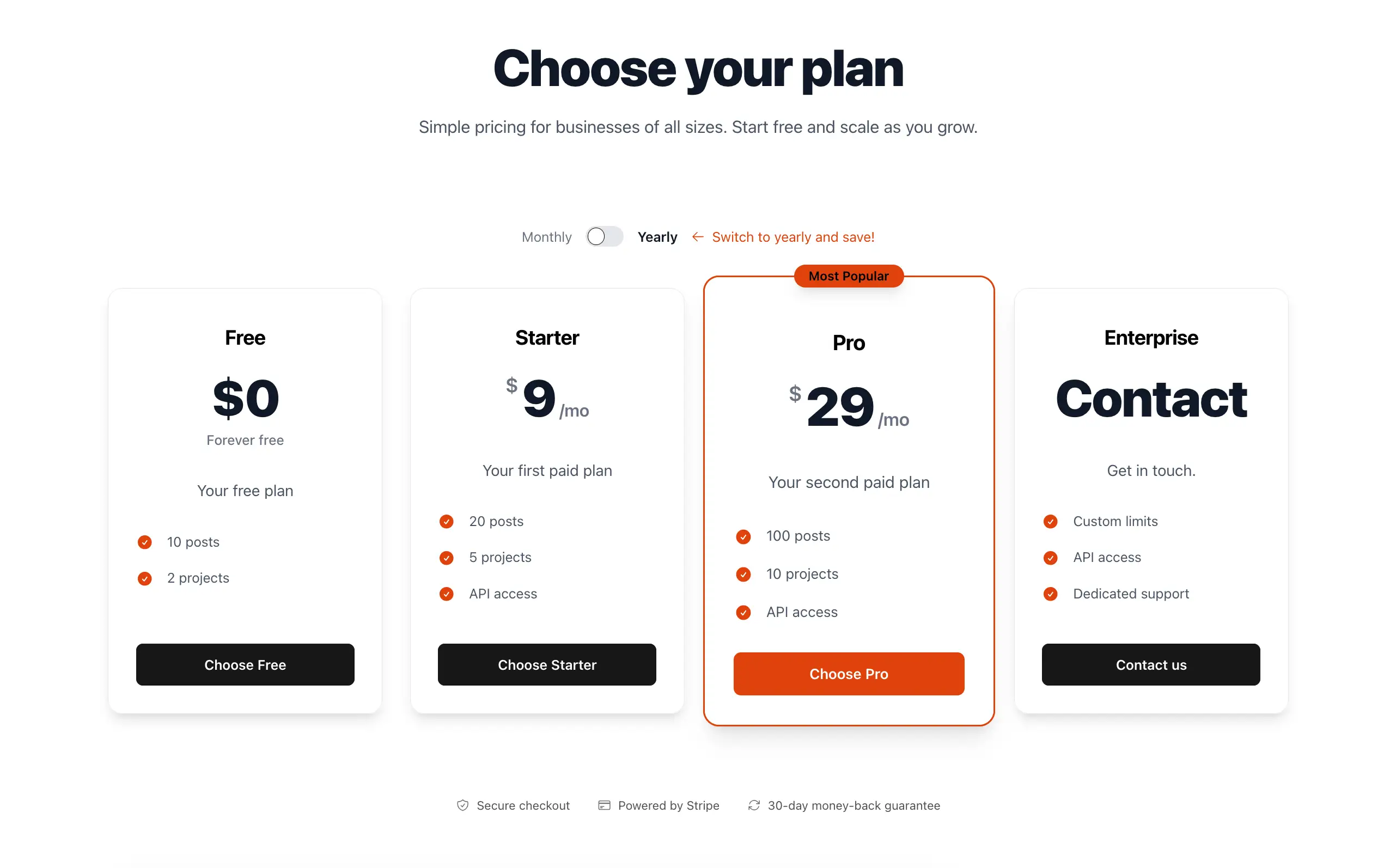
RailsFast also provides a fully working pricing page with pricing cards, a toggle to choose between monthly / yearly billing, and more.
As described in the Payments section, this pricing page is already fully integrated with the pricing_plans gem, and it's not just front-end / aesthetics: all plans can be purchased and whatever is defined in the plan itself is immediately enforceable app-wide.
The page lives at /pricing (DemoController#pricing, view app/views/demo/pricing.html.erb). It renders the plans defined in config/initializers/pricing_plans.rb. For a signed-in user it also marks the organization's current plan, and shows a notice when an admin has overridden that organization's plan. Inside the native apps, /pricing redirects away, because the native shells act as companion apps and do not sell.
The cards themselves are one partial you can drop on any page:
<%= render "components/railsfast/marketing/pricing/pricing_cards",
    plans: PricingPlans.plans,
    popular_plan_id: :pro,
    show_toggle: true,
    accent: "#10b981" %>
What you'll likely customize:
- Your actual plans: define them in
config/initializers/pricing_plans.rb(Pricing plans) and plug in your Stripe Price IDs inconfig/railsfast/railsfast.ymlas described in Payments. - Which plan is "Most Popular": mark a plan as
highlighted!inpricing_plans.rb(the pricing page detects it), or passpopular_plan_id:yourself. - Monthly/Yearly toggle:
show_toggle: true/false(default:true) - Scalable / enterprise slider card:
show_scalable: true/false(default:false) +scalable_plans: [...] - Brand theming: pass
accent:(hex/CSS color string). The pricing page passes yourbrand_colorfromrailsfast.yml. - Light or dark cards:
theme: :light(default) or:dark - Where the buttons go: the
pricing_plansgem builds each button (sign up, or Stripe checkout for the chosen interval), and a plan's owncta_text/cta_urloverride it (the Enterprise example uses amailto:). An organization that already pays sees "Manage billing", which opens the Stripe billing portal; one whose plan an admin overrode sees disabled buttons. Thecta_url:local is the last fallback.
Below the cards, the page renders components/railsfast/marketing/pricing/trust_signals (guarantee, security and payment notes), which takes layout: ("minimal", "detailed", "badges_only"), theme:, guarantee_days: and show_guarantee:/show_security:/show_payment:/show_compliance:/show_transparent_pricing: switches.