

User authentication & login
RailsFast comes with an entire user authentication and login system. We leverage the devise gem for that.
Of course, the main thing it handles is user signup and login: a sign-in page and a sign-up page, email and password first, with any social provider you've configured offered underneath (see Social login for that shape), and, on the sign-up page, the Terms checkbox that has to be answered before an account can exist.
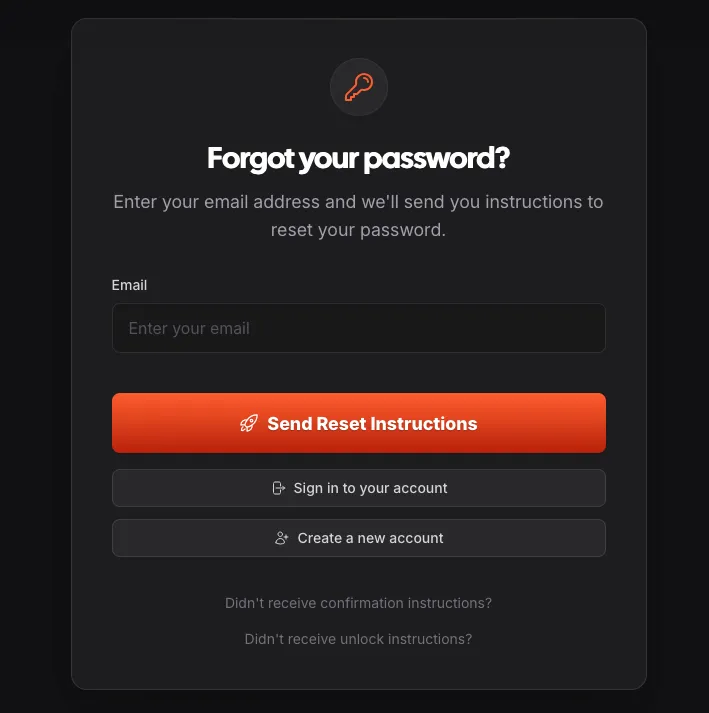
But on top of that, it also handles things like "Forgot your password?" and "Resend email confirmation" flows:
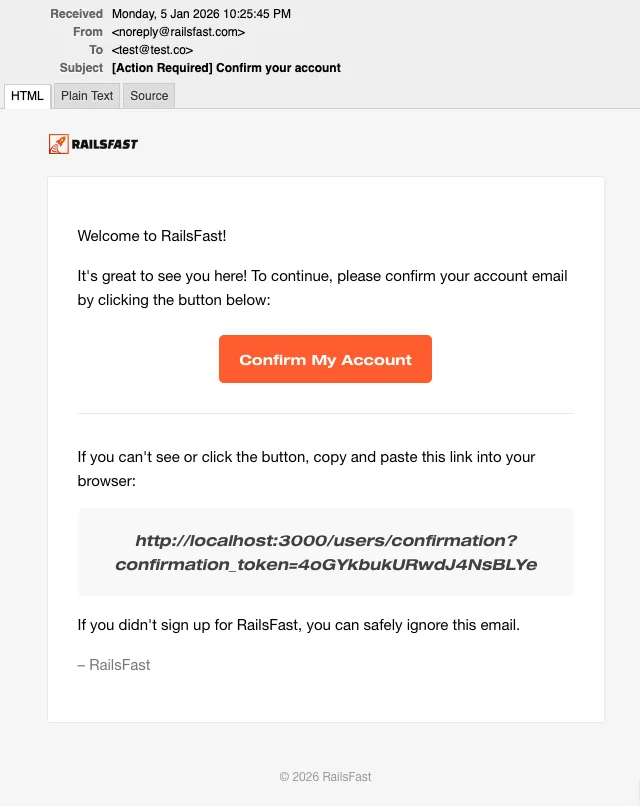
All this with beautiful transactional emails that will work out of the box if you followed the quickstart:
Abuse protection
If you've configured your Cloudflare Turnstile credentials, you'll see the Turnstile captcha protecting all your user forms against bots and abuse:
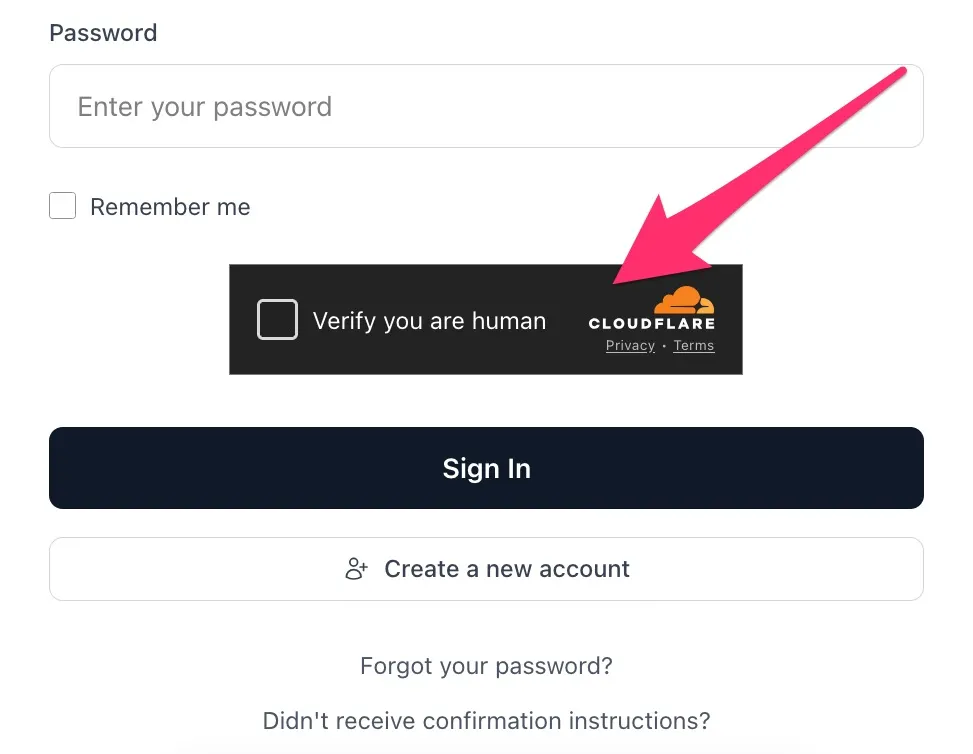
There's no need for you to configure anything other than your Turnstile credentials as outlined in the quickstart, it all works automatically. Until the site key and secret key are in your credentials, Turnstile stays off and the forms work without it. See Abuse protection for the details.
Throwaway and mistyped emails are refused
RailsFast refuses throwaway email addresses at sign-up and on every email change, and catches typos like gmail.con with a "Did you mean ...?" suggestion. It works out of the box with the nondisposable gem, and the throwaway-domain list refreshes itself every night in production (see config/recurring.yml).
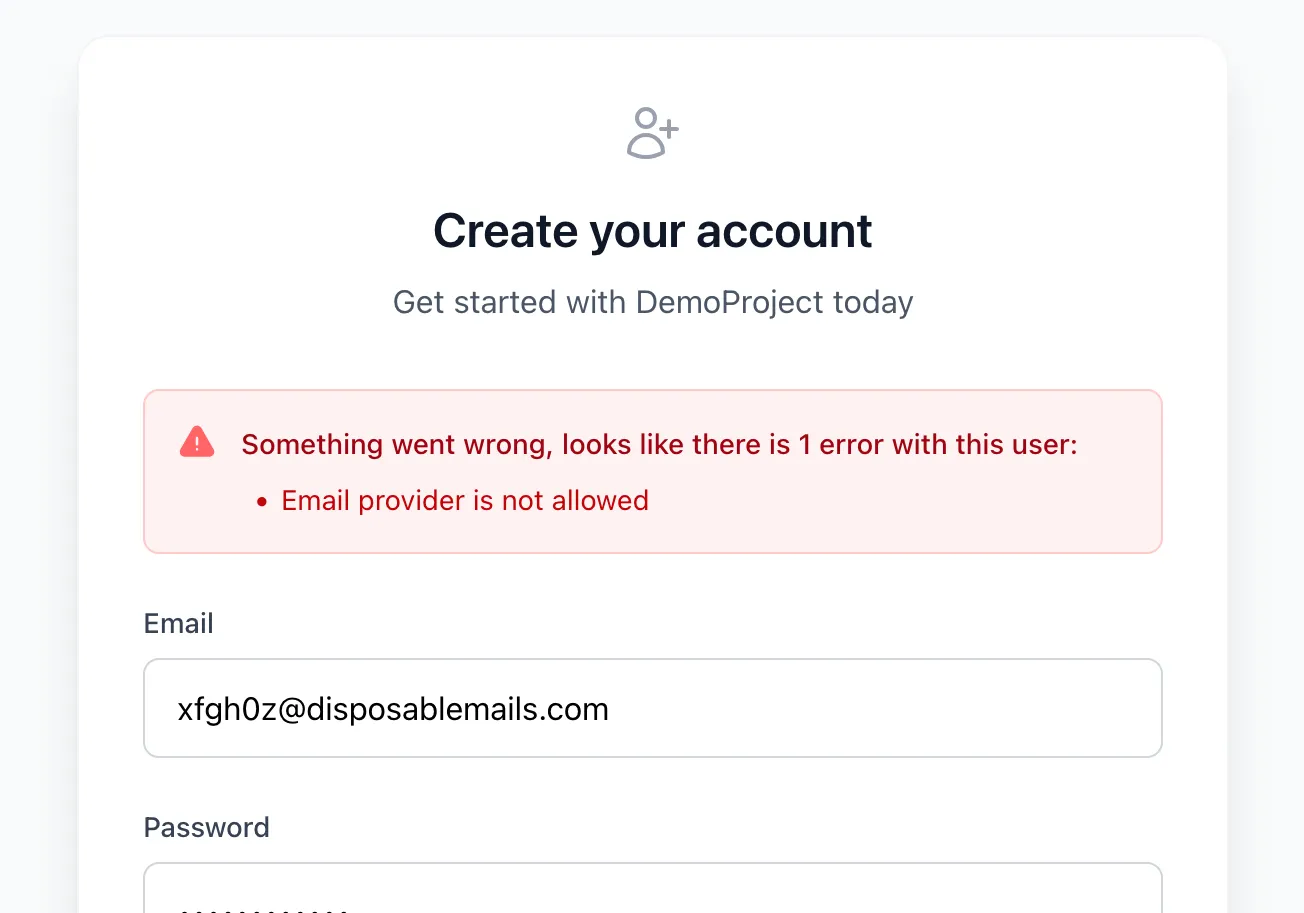
See Email address checks for what a person sees, the knobs and the sources.
Email and password isn't the only way into your app: RailsFast also ships one-click social sign-in, with a "Continue with Google" button below the email form on both the sign-in and the sign-up pages. It's dormant until you paste a Google OAuth client into your credentials: no gem to uncomment, no flag to flip. The same client also powers the Google One Tap card shown on the auth pages. See Social login for the Google Cloud console walkthrough, how accounts get linked (and when linking is refused), and how to add more providers later.
Terms acceptance is real evidence
Signup isn't just a row in users: both doors collect an affirmative act of assent through the clickwrap gem, and record which exact document versions were offered and what was answered in the same transaction that creates the account. If the evidence can't be written, the account doesn't exist.
It's one checkbox and one sentence, "I agree to the Terms and I acknowledge the Privacy Policy.", sitting immediately above the submit button on the sign-up form, and on the "Finish creating your account" screen a first-time Google signup passes through. Your legal pages under /legal are the single source of truth: edit the text, bump the front-matter date, run bin/rails clickwrap:publish, and new signups record the new version. See Legal documents & consent for the whole story: changing your Terms, requiring re-acceptance, adding new legal documents, withdrawable consent, and receipts.
Sessions, devices & login activity
Every RailsFast app tracks signed-in devices and login activity by default via the sessions gem: a "Sessions & devices" page in Settings with remote sign-out, an append-only login trail, new-device security emails, and an admin Security section. See Sessions & devices for the full picture.
Self-serve API keys (opt-in)
If your product exposes an API and you want users to mint and manage their own API keys (with scoping, expiry, and a self-serve UI), uncomment gem "api_keys" in the Gemfile, run bin/rails generate api_keys:install && bin/rails db:migrate, add has_api_keys to your User model, and uncomment the mount ApiKeys::Engine line already waiting in config/routes.rb. That gives you a self-serve keys dashboard under Settings. Then gate your API controllers by including ApiKeys::Controller and adding before_action :authenticate_api_key! (per-endpoint scopes via authenticate_api_key!(scope: "write")). Full details in the api_keys README.